Google Chrome already allowed searching by bookmarks or links stored in your browsing history, but the functionality was neither easily accessible nor very useful for quickly discovering the information you were looking for.
Accessible directly from the address bar, the new search function can be accessed by putting “@” before the search phrase and can be considered a scaled-down version of Google Search, limited to the web browser. Currently only available to Chrome PC users, the new feature is intended more as a productivity tool, helping you search any open page in your web browser without having to repeat the process for each tab.
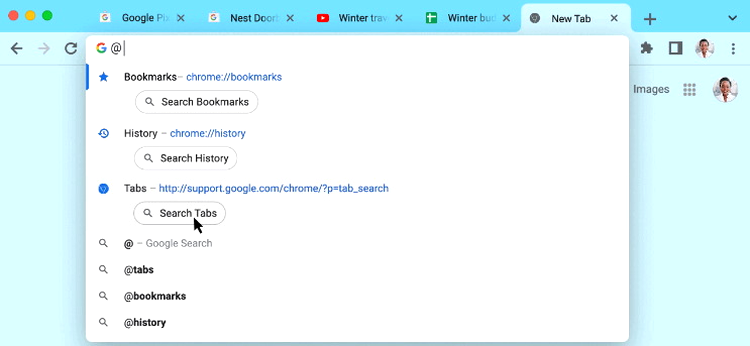
Broadening the options even further, for any query started with the @ symbol more search options are presented, such as bookmark list, browsing history, gmail contact list and of course switching to Google Search.
The new search option will only work well for users who allow saving Chrome browsing history and keep bookmarks for most sites they’re interested in. However, you won’t be able to find information about pages you’ve visited in Incognito tabs. Google also won’t be implementing this feature in the mobile versions of Chrome, for the simple reason that it wouldn’t be as useful.
The Best Online Bookmakers April 13 2026
 Bonus€500+ 200 Free spins |
 Bonus€1,000 |
 Bonus€1,000 |
 The SPARC fusion reactor is the infrastructure of the future for the AI era
 Galaxy Tab S10 Lite is really cheap right now
 Why I use a fan in winter and why I especially rely on this model!
 Spotify is increasing its prices again in the USA – what that means for us
 Dead Cells Studio surprises with a roguelite insider tip